

This week’s draft is truly a rough draft! I started out last weekend gathering footage, but a few weeks prior to that I settled on the idea of hosting a picnic as a kind of promotional video for Collect since it’s all about gathering creatively in your area. I thought for a bit about doing a how-to video, but felt like I’d already covered that with the audio story and so wanted to focus on visually telling the story of a picnic as a commercial for Collect.
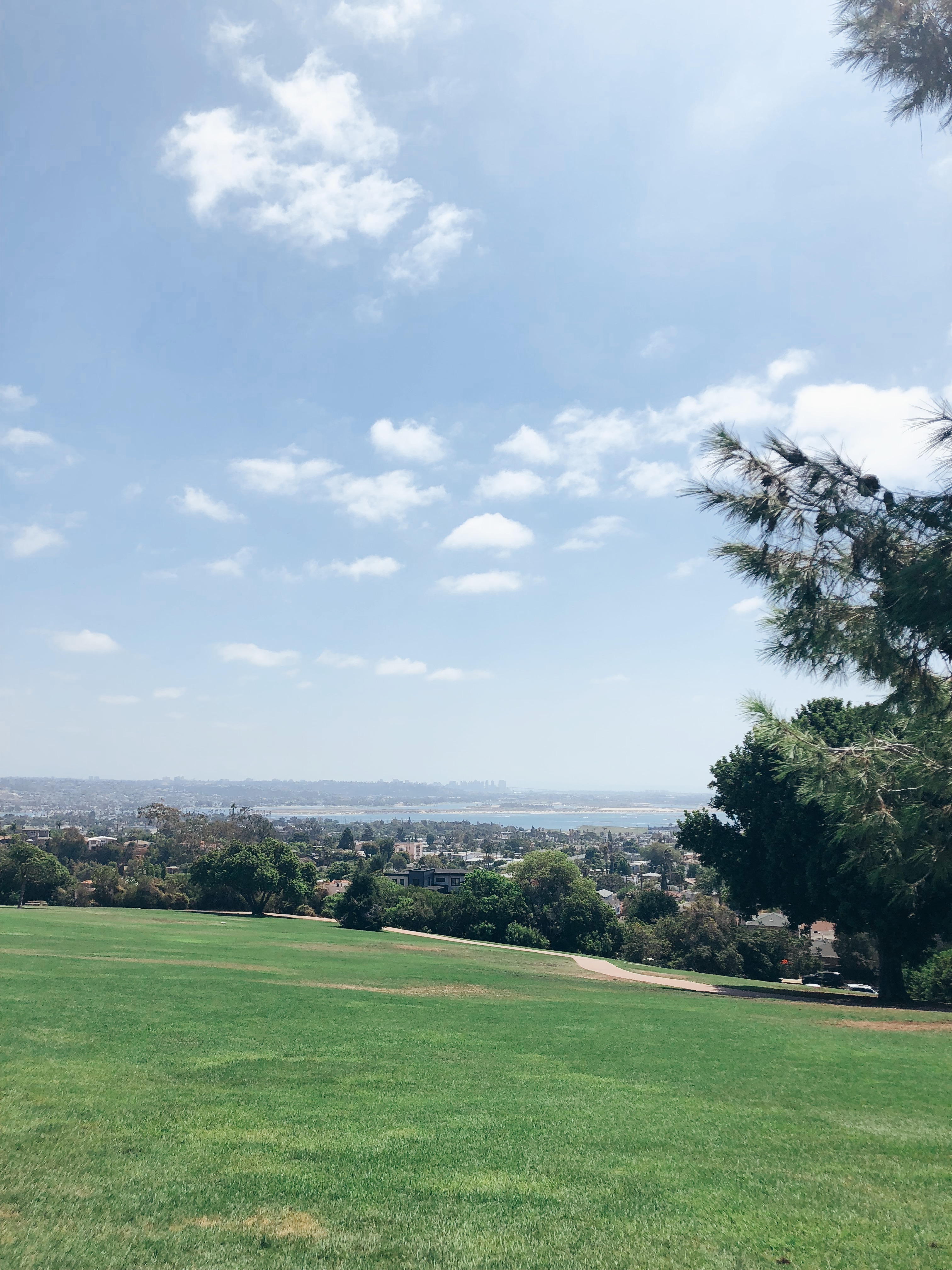
I knew exactly the park I wanted to host it at. It’s this great park called Kate O. Sessions that looks out over all of San Diego and has a great view of the city skyline. I figured this was fitting because of the logo that I designed for the Illustrator portion of this class. Once I settled on location I reached out to Reed and Rye (who I interviewed for my audio story) to see if she wanted to design the picnic. She was in! Next, I reached out to a friend currently in school for Peace and Justice to see if she wanted to give a sort of TED Talk to give our event some extra substance.
Once we nailed down the logistics, we arrived early last Sunday to set up. I neglected to create a shot list prior to and tremendously regret it because once we got set up and people started arriving it was hard to stay focused. Turns out it’s really hard to film an event you are in fact attending.

For filming, I used a mixture of my cellphone and my Canon DSLR. I knew I wanted lots of close ups of the food spread and tons of footage of my friends. The shots were harder to get than I planned for. I am very shaking filming even when I try to keep the camera and my elbows close. A lot of the footage I gathered was too shaky or quick to use. I needed to remind myself to slow down and stop filming vertically!!
I was able to get some usable footage that you will see in the video below, but please note that I will need to return to the park for the establishing shots and more shots of the parks amazing views. I have attached a Shot List reflecting this that you can reference. I have not inserted transitions or titles yet because I want to see how the park footage I gather tomorrow turns out. I should be able to take my time and move slowly.
To begin the actual editing process I loaded up all my clips into Premiere and made smaller clips to fit into my sequence. I then had a MILD PANIC ATTACK when I thought I deleted them all. Turns out Premiere doesn’t like it when you delete clips from your computer. The clips I currently have sequenced are sequenced as best I could without the other park shots (see shot list). I still need to add transitions, and the title and end credits. I think it would be a really cool thing to have the Collect logo fade out and have the city skyline underneath right at the beginning. I am going to play around with that. The music I have attached now will be the final music and I found it on SoundCloud. It is called Positive Ukulele by Sokolovsky Music. I chose this music because of its positive relaxed vibe just like our picnic. I anticipate the final video to be around a minute long.
| Time | Visuals | Audio |
| 0:00- 4.00 | Establishing shot of park with San Diego skyline in the back ground fades in. Titles and Collect logo appear in white text | Music fades in |
| 4.00- 6.00 | Panning shot to location of picnic | Music |
| 6.00- 13.00 | Detail shot of picnic set up (hand moving items to prep). | Music |
| 13.00-20.00 | Group panning shot (circle formation) | Music |
| 20.00-25.00 | Close up on all elements of picnic | Music |
| 25.00-30.00 | Group shot from behind | Music |
| 30.00-33.00 | Picnic shot of greens | Music |
| 33.00-39.00 | Picnic detail shot | Music |
| 39.00-43.00 | People shot from zoomed out above angle | Music |
| 43.00-47.00 | Picnic detail shot | Music |
| 47.00-51.00 | Close up of guest smiling/direct eye contact with camera | Music |
| 51.00-54.00 | Panning shot back to original view | Music |
| 54.00-60.00 | Back to San Diego city skyline and end credits | Music fades out |
 Hannah Pennell Communication
This footage is really beautiful, especially with the ukulele music! I totally get the vibe you’re going for. I read through your page and caught up on the establishing shots and the pieces you wanted to include, which makes sense, because I also felt like this wasn’t enough time for me to do what I really wanted or to do it as well as I wanted, so your point resonates.
I would say that there were points that it was blurry/out of focus and a little too much movement to quickly for my eyes to follow easily. My one question is if that ted talk is going to be incorporated? Otherwise, the minute without words to ready or voices to hear does seem a little long.
This was really beautiful!
LikeLike
Hi Hannah!
I can’t wait to see the landscape video incorporated into the project. The photo you include in your post makes it look like it will add a lot to the video.
I agree with Misty that some of the video moves around a little too fast for my eyes to rest on one or two places in the scene. I wonder if you could pull some still images out of the video and use a combination of moving video and still shots to slow down the action?
The park looks like a beautiful spot and the picnic spread is lovely. I think this will turn out to be a great video.
LikeLike
Thanks to everyone for all of the feedback. Moving forward with my feedback I want to incorporate a number of things. I was able to return to the park for more slow, steady and horizontal footage. I gave more thought on if I wanted to add a voice over and I actually think it would detract. I want to leave it as is and incorporate the Collect logo and maybe so info or link at beginning and end of film. I thought about incorporating the “TED Talk” footage, but unfortunately it isn’t the best quality and was filmed vertically. Once I have all my clips added in a structured correctly to tell the visual story I plan to play around with edits on transitions and perhaps even color correcting to make all the footage more uniform. I saw color correcting info in this week’s readings and would love to incorporate it.
LikeLike